










For battery-free NFC e-ink tags

Say hello to Inky

Ink Tag puts your photos, cartoons and little messages on e-ink tags straight from your iPhone. Pick a picture, make it yours, tap to send. No battery, no pairing, no fuss.

Coming soon on theApp Store See how it works

How it works

Three steps. About ten seconds.

  1. 1

    Pick something

    One of your photos, one of Inky's photos and cartoon pals, or a ready-made design.

  2. 2

    Make it yours

    Zoom, nudge, brighten and remix the colours. The preview shows exactly what the tag can draw.

  3. 3

    Tap to send

    Hold the top of your iPhone against the tag. It powers up, takes the picture and keeps it.

Step 1

A whole sticker book to start from

Use any photo from your library, or pick from Inky's own collection: nine photos made for four inks, six cartoon pals, and a gallery of phrases, pixel art and patterns. "Do not disturb" on your door, "Coffee first" on your desk, a pixel invader on your bag.

  • Your photos, picked with Apple's private photo picker
  • Photos and cartoon pals drawn for black, white, yellow and red
  • Phrases, pixel art and patterns, ready to send
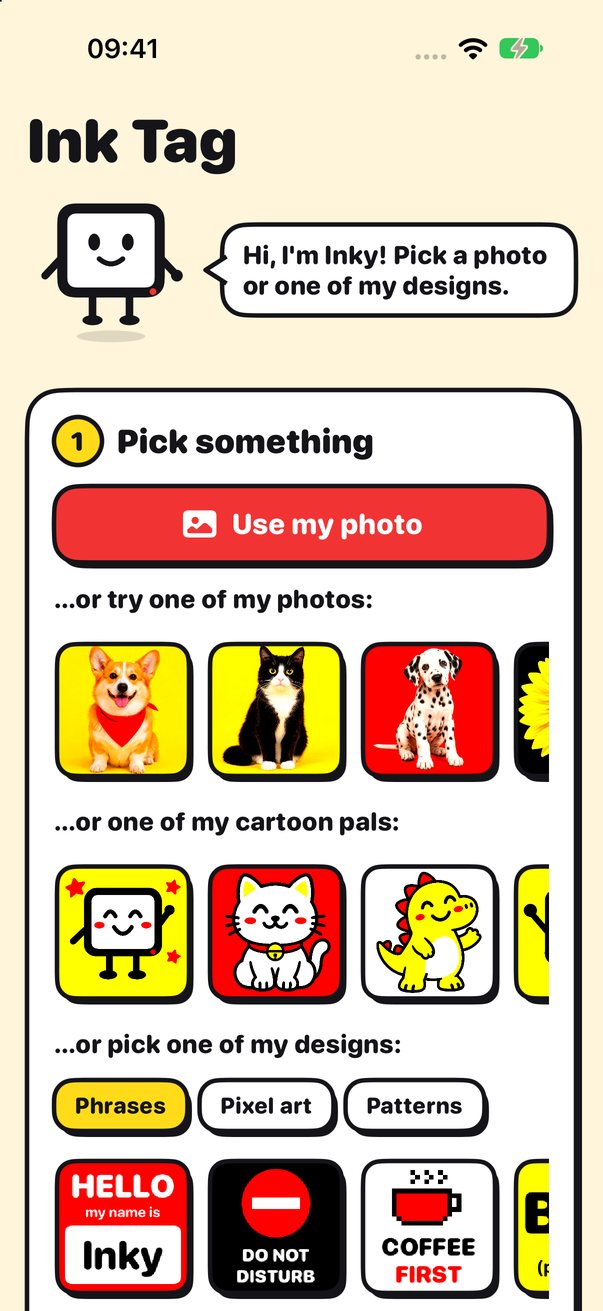
Ink Tag home screen with Inky, stock photos, cartoon pals and designs

Step 2

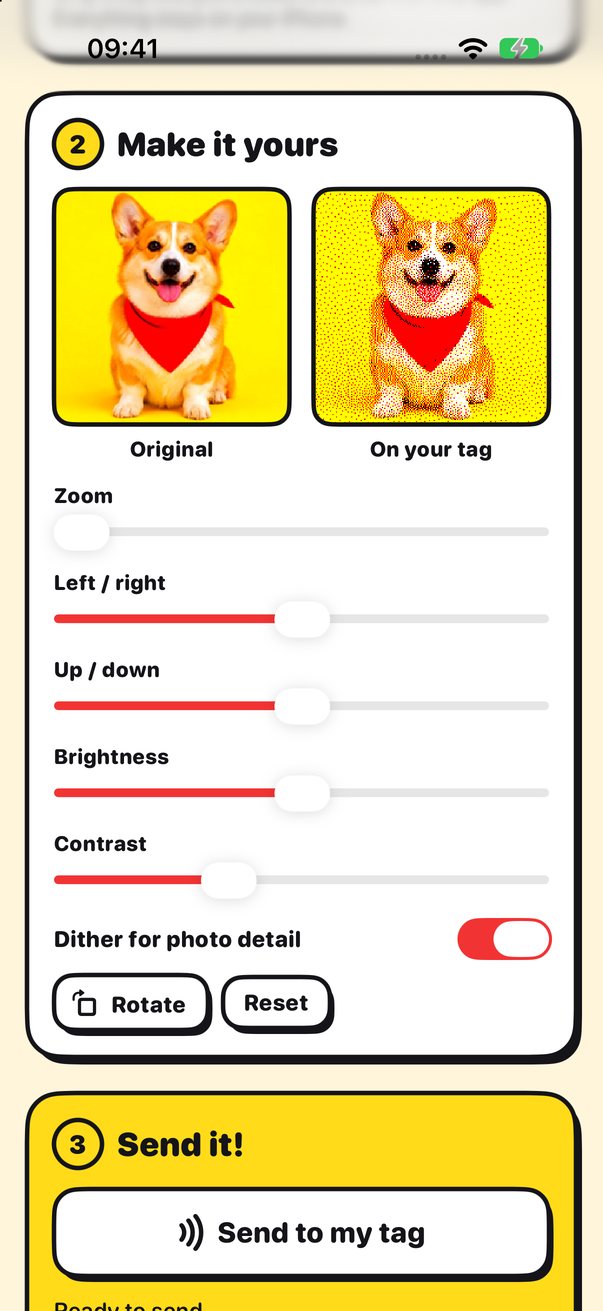
Your photo, redrawn in four inks

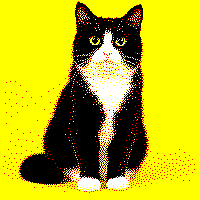
E-ink tags only have a few colours, so Ink Tag redraws your photo with black, white, yellow and red, using fine dots to keep the detail. You see the original and the tag version side by side while you zoom, move, brighten and add contrast.

  • Live preview of the finished tag
  • Zoom, position, brightness and contrast
  • Dithering for photo detail, or flat colour for bold shapes
Ink Tag photo editor showing a corgi photo next to its four-ink version

Remix

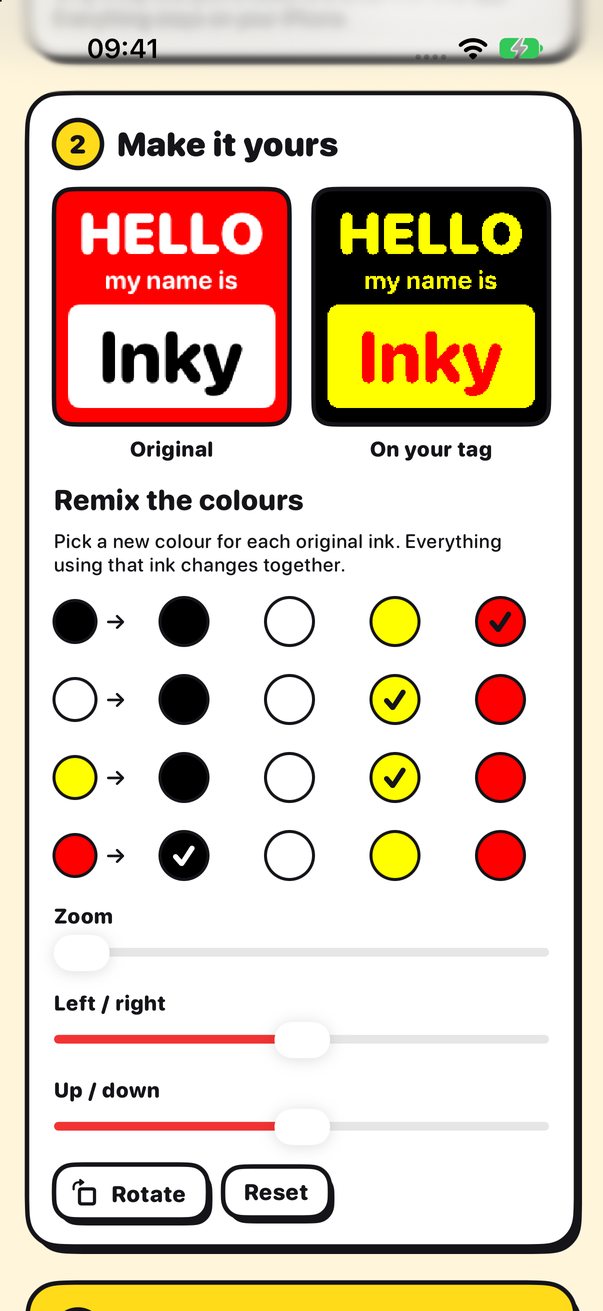
Swap any ink for any other

Every design can be recoloured. Pick a new ink for each colour in the original and everything using it changes together. Red badge, yellow badge, black badge: the same design three ways in a few taps.

  • Recolour each ink independently
  • Rotate, zoom and reposition
  • Reset back to the original at any time
Ink Tag colour remix controls turning a red name badge black and yellow

Step 3

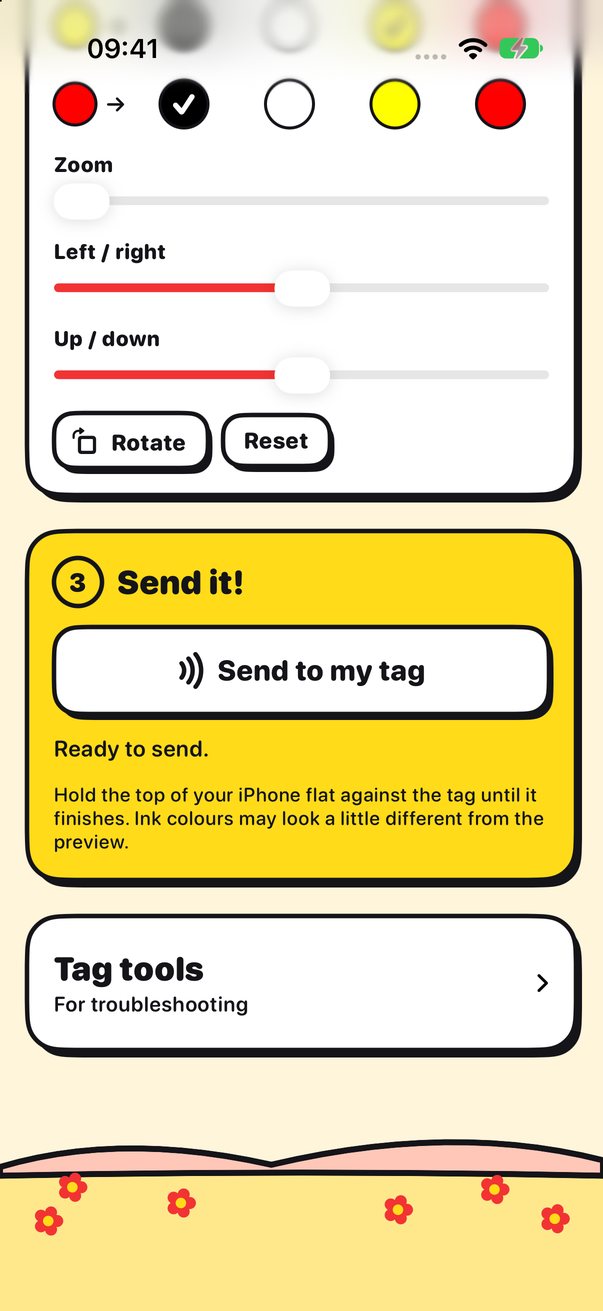
No battery, no pairing, no app accounts

The tag has no battery at all. Your iPhone powers it over NFC for the few seconds it takes to draw the picture, and the e-ink keeps showing it afterwards with no power. There is nothing to charge, pair or sign in to.

  • Powered by your iPhone's NFC
  • The picture stays on the tag with no power
  • Works anywhere, with no internet connection
Ink Tag send screen with a Send to my tag button

And the small things

Simple on the outside, clever on the inside

Reads your tag

Ink Tag asks the tag for its screen size and colours, then fits the picture to it.

Four inks or two

Made for black, white, yellow and red tags. Black and white tags work too.

Works offline

Ink Tag never connects to the internet. Everything happens on your iPhone.

Nothing collected

No accounts, no analytics, no ads. Your photos never leave your phone, except to the tag.

Original artwork

Every photo, pal and design in the app is made for Ink Tag and tuned for e-ink.

Tag tools

Scan a tag to see its screen details and a log, handy if something needs fixing.

Privacy, the easy way

Ink Tag collects nothing. Really.

No accounts, no servers, no analytics and no ads. Ink Tag does not even connect to the internet. Your photos are picked with Apple's private photo picker, converted on your iPhone, and sent only to your tag.

Read the Privacy Policy
  • Data not collectedNothing about you leaves your iPhone.
  • No trackingNo analytics or advertising SDKs at all.
  • Works offlineNo internet connection, ever.
  • NFC only when you tapUsed just to scan and update your tag.
Inky, the Ink Tag mascot, waving

Inky can't wait to meet your tag

Ink Tag is coming soon to the App Store for iPhone. Questions before then? We are happy to help.

Coming soon on theApp Store Visit support